এই পেজে
- What Are CCNA Network Fundamentals?
- How Do the OSI and TCP/IP Models Structure Data?
- The 7-Layer OSI Model Explained
- The 4-Layer TCP/IP Model
- Understanding IPv4 Addressing and Subnetting
- What is the Difference Between Switching and Routing?
- 4 Common Network Configuration Mistakes to Avoid
- Frequently asked questions
- Is the CCNA 200-301 exam suitable for beginners?
- How long does it take to learn CCNA network fundamentals?
- What is the passing score for the Cisco CCNA exam?
- Do I need physical Cisco hardware to practice labs?
- Conclusion
Stepping into computer networking can feel overwhelming, but mastering CCNA network fundamentals provides the blueprint you need to build a successful IT career. Cisco’s CCNA (200-301) exam tests your understanding of how devices communicate, send data across global connections, and stay secure. In this comprehensive guide, you will learn how networks transmit data, how to divide IP addresses efficiently, and how essential hardware like switches and routers power modern enterprise infrastructure.
What Are CCNA Network Fundamentals?
CCNA network fundamentals are the foundational concepts, protocols, and hardware architectures that govern how digital devices exchange data across local and wide-area networks. Without these foundational building blocks, modern internet communication and enterprise corporate networks could not function reliably.
At its core, a network connects endpoints, such as computers, servers, smartphones, and IoT devices, using specialized interconnecting hardware. Routers route network traffic across disparate networks, while switches connect devices within a single local area network (LAN). Physical media like copper twisted-pair cables, fiber-optic cables, and wireless access points provide the physical pathways for transmission.
Understanding these fundamentals requires learning how networks scale from small home offices to massive global enterprises. Cisco structures these topics to ensure certified engineers can install, operate, and troubleshoot wired and wireless connections securely.
How Do the OSI and TCP/IP Models Structure Data?
The OSI and TCP/IP reference models structure network communication by breaking data transmission into distinct, standardized logical layers. By isolating specific tasks to designated layers, hardware manufacturers and protocol designers ensure global interoperability across different devices and operating systems.
The 7-Layer OSI Model Explained
The Open Systems Interconnection (OSI) model divides network interaction into seven stacked layers:
- Layer 7 (Application): Network process to application (HTTP, FTP, SSH).
- Layer 6 (Presentation): Data representation, encryption, and compression (SSL/TLS, JPEG).
- Layer 5 (Session): Interhost communication management (NetBIOS, RPC).
- Layer 4 (Transport): End-to-end connections and reliability (TCP, UDP). Data units here are called segments.
- Layer 3 (Network): Path determination and logical addressing (IPv4, IPv6). Data units here are called packets.
- Layer 2 (Data Link): Physical addressing and media access control (Ethernet, MAC addresses). Data units here are called frames.
- Layer 1 (Physical): Electrical, optical, or radio signal transmission (bits).
The 4-Layer TCP/IP Model
While the OSI model serves as an ideal theoretical framework, the practical internet operates on the TCP/IP suite. This model condenses network operations into four layers: Application, Transport, Internet, and Network Access. As data travels down the stack before transmission, each layer appends its own control header in a process called encapsulation. When received, the destination device strips these headers away via de-encapsulation.
Understanding IPv4 Addressing and Subnetting
IPv4 addressing provides a unique 32-bit logical address to identify every host device connected to an IP network. An IPv4 address consists of four octets (bytes) written in dotted-decimal format, such as 192.168.1.1.
Every IP address contains two distinct parts: a network portion and a host portion. The subnet mask determines where the network portion ends and the host portion begins. For instance, a mask of 255.255.255.0 (or /24 in CIDR notation) indicates that the first 24 bits define the network, leaving 8 bits for host assignments.
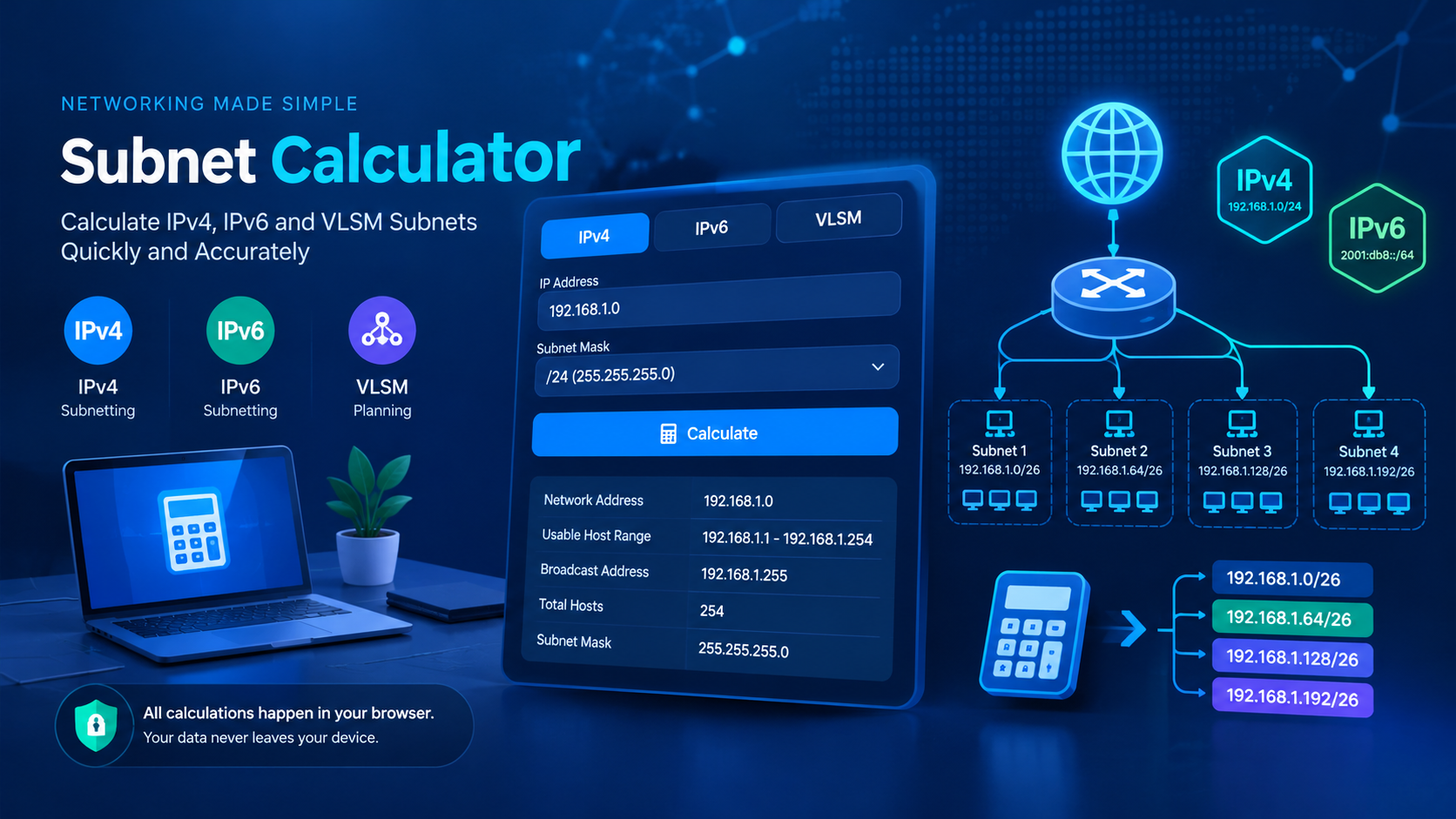
Subnetting is the practice of dividing a single large physical network into smaller, manageable logical sub-networks. It conserves IP addresses, reduces unnecessary broadcast traffic, and boosts security. Calculating custom subnet masks manually requires binary arithmetic, but speed and accuracy matter when designing production systems. When calculating subnets for your network layout, using a free online subnet calculator for IPv4 speeds up your planning significantly.
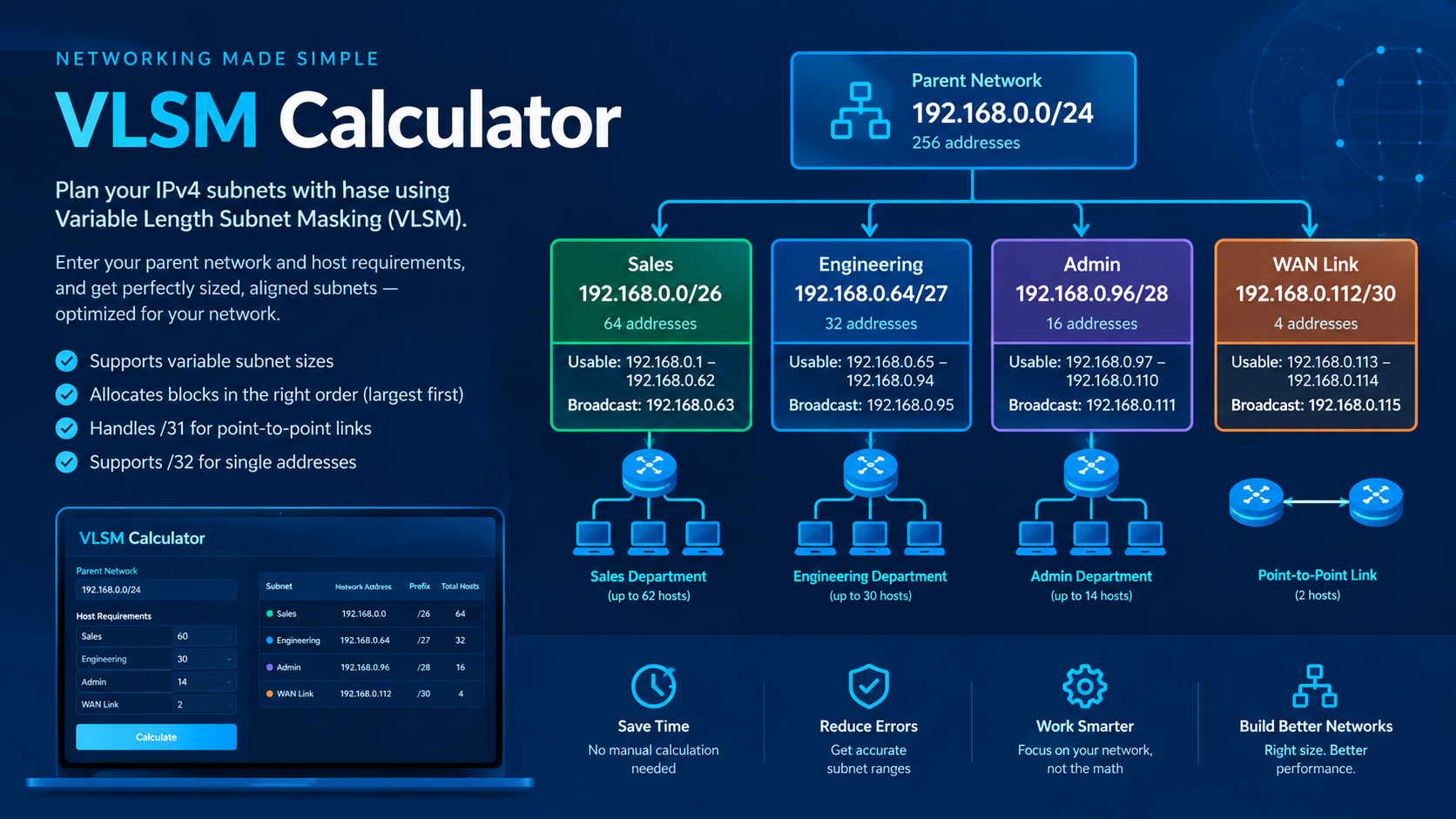
Also, enterprise designs often use Variable Length Subnet Masking (VLSM) to allocate subnets of varying sizes based on host requirements. Using a specialized VLSM calculator tool ensures you avoid overlapping IP ranges while minimizing wasted addresses.
What is the Difference Between Switching and Routing?
The primary difference between switching and routing is that switching operates at Layer 2 to connect local devices within the same network, whereas routing operates at Layer 3 to forward traffic between different networks.
Network switches build a MAC address table by listening to incoming traffic frames. When a switch receives a frame, it reads the source MAC address to learn which port the device sits on. It then checks the destination MAC address: if the address is known, it forwards the frame only to that specific port; if unknown, it floods the frame out all ports except the receiving one. Switches allow you to create Virtual LANs (VLANs), segmenting traffic logically even on shared physical hardware.
Routers, on the other hand, maintain a routing table containing destination IP network paths. Routers inspect incoming Layer 3 IP packets, determine the best path using metric calculations or administrative distance, and rewrite the Layer 2 headers to send the packet to the next-hop router. Without routing, communication between different VLANs or out to the internet is impossible.
4 Common Network Configuration Mistakes to Avoid
Even experienced network technicians make administrative errors when configuring routers and switches. Avoiding these common mistakes will save you hours of troubleshooting:
- Incorrect Subnet Masks: Assigning a host an incorrect subnet mask leads to routing failures or prevents devices from reaching local neighbors.
- Duplicate IP Addresses: Assigning the same static IP address to two active endpoints causes IP conflict errors and intermittent drops for both devices.
- Mismatched Duplex and Speed Settings: Hardcoding speed/duplex settings on one end of an ethernet cable while leaving the other side on auto-negotiation causes high collision rates and latency.
- Missing Default Gateways: Forgetting to configure a default gateway on end devices or switches stops them from communicating with devices outside their local IP subnet.
Frequently asked questions
Is the CCNA 200-301 exam suitable for beginners?
Yes, Cisco designed the CCNA 200-301 specifically for entry-level candidates. While prior computer literacy helps, no formal networking prerequisites are required to start studying.
How long does it take to learn CCNA network fundamentals?
Most candidates spend between three to six months preparing for the exam, studying roughly 10 to 15 hours per week with a mix of textbook reading and hands-on lab practice.
What is the passing score for the Cisco CCNA exam?
Cisco uses a scaled scoring system ranging from 300 to 1000 points. The passing score typically lands around 825 points, though exact passing thresholds vary slightly by exam version.
Do I need physical Cisco hardware to practice labs?
No, you do not need expensive physical hardware. Free software emulation tools like Cisco Packet Tracer and GNS3 allow you to build complex networks and practice full IOS commands virtually.
Conclusion
Understanding CCNA network fundamentals gives you the confidence to manage enterprise networks, pass Cisco's exam, and jumpstart your career in IT infrastructure. Your best next step is to download a network simulator like Cisco Packet Tracer and begin building simple two-router topologies to put these theoretical concepts into practice today.