এই পেজে
- What is CCNA Network Access?
- How do VLANs and trunking manage local traffic?
- Key Commands for VLAN and Trunk Configuration
- Why is Spanning Tree Protocol essential for loop prevention?
- STP Port Roles and States
- How does EtherChannel aggregate switch links?
- What wireless architecture concepts appear on the CCNA exam?
- What are common CCNA Network Access mistakes to avoid?
- Frequently asked questions
- What percentage of the CCNA exam covers Network Access?
- What is the main difference between LACP and PAgP?
- How does a switch select the Root Bridge in STP?
- What is the default native VLAN on Cisco Catalyst switches?
- Conclusion
Preparing for the Cisco Certified Network Associate exam requires a deep understanding of switch ports, logical networks, and wireless connectivity. Building upon core CCNA network fundamentals, the CCNA Network Access domain tests your ability to configure, verify, and troubleshoot the physical and data link layers of enterprise networks. In this comprehensive guide, you will master Virtual Local Area Networks (VLANs), trunking protocols, loop prevention mechanisms, link aggregation, and modern wireless architectures.
What is CCNA Network Access?
CCNA Network Access is the second official domain of the Cisco 200-301 CCNA exam, carrying a weight of approximately 20% of the total test score. This domain focuses primarily on Layer 2 switching technologies, campus network design, and wireless access infrastructure. By mastering these concepts, network administrators ensure high availability, efficient traffic routing, and robust security at the access layer.
How do VLANs and trunking manage local traffic?
VLANs divide a single physical switch into multiple distinct logical broadcast domains to improve network security and efficiency. Without VLANs, every frame broadcast by a device floods all other ports on the switch. By assigning ports to specific VLANs, you isolate traffic so devices only communicate with peers on their own logical network unless routed by a Layer 3 device.
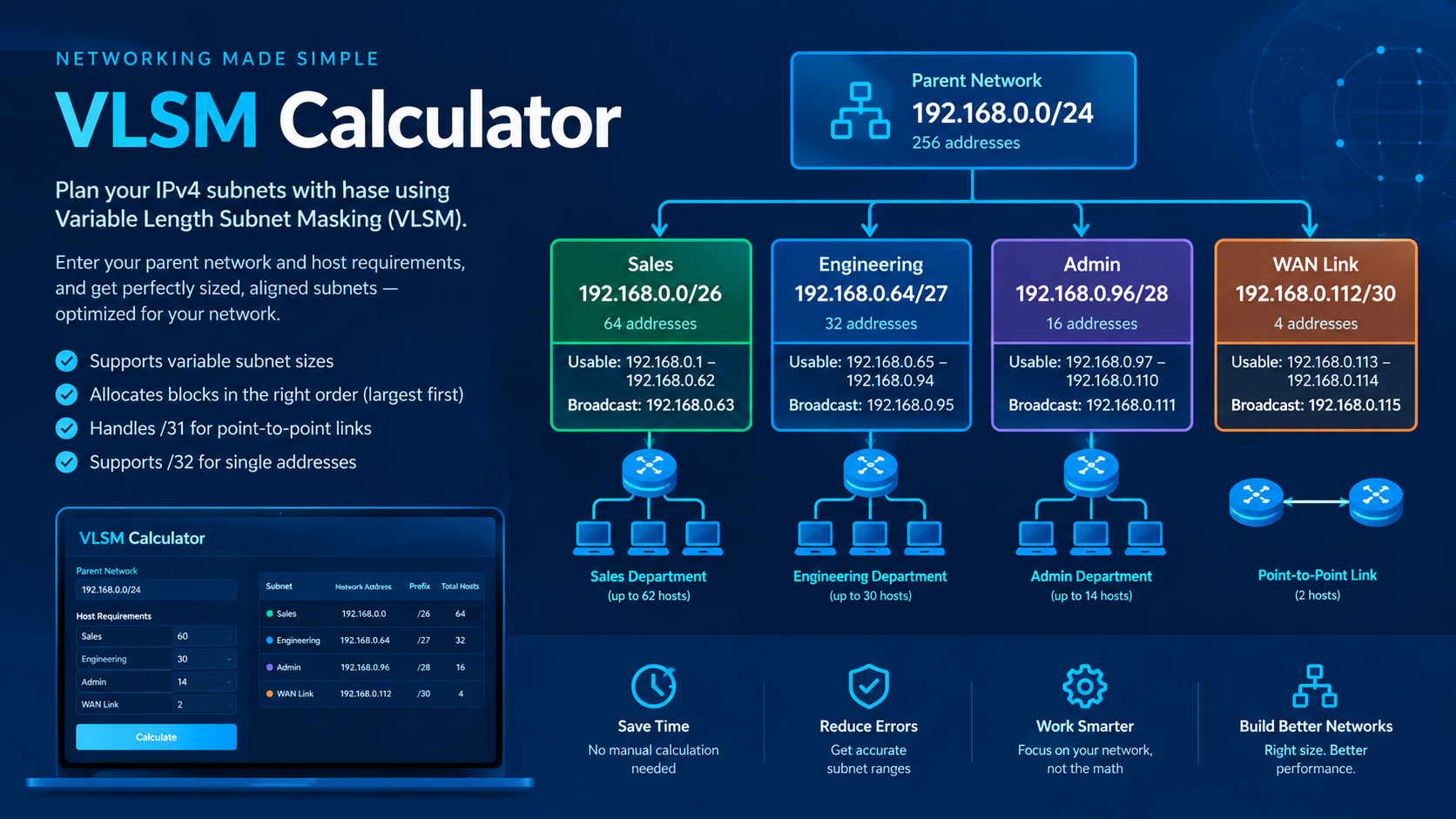
When traffic must cross between switches, trunk ports carry traffic for multiple VLANs across a single physical link. Cisco switches use the IEEE 802.1Q standard to insert a 4-byte tag into the Ethernet frame header, identifying which VLAN the frame belongs to. When planning IP address space across these isolated VLANs, using a VLSM calculator ensures efficient subnet allocation for each segment.
Key Commands for VLAN and Trunk Configuration
- Create a VLAN: vlan 10 followed by name Sales in global configuration mode.
- Assign an Access Port: switchport mode access and switchport access vlan 10 under interface mode.
- Configure an 802.1Q Trunk: switchport mode trunk on the interconnecting switch interface.
- Set Native VLAN: switchport trunk native vlan 99 to send untagged frames over VLAN 99.
Common Mistake: Setting mismatched native VLANs on opposite ends of a trunk link causes native VLAN mismatch errors and can leak traffic between unmanaged segments.
Why is Spanning Tree Protocol essential for loop prevention?
Spanning Tree Protocol (STP) prevents Layer 2 switching loops by dynamically placing redundant physical links into a forwarding or blocking state. Layer 2 Ethernet headers lack a Time to Live (TTL) field, meaning broadcast storms can circulate infinitely across redundant switches and bring down the network.
STP elects a single Root Bridge for the network based on the lowest Bridge ID (BID), which combines a configurable priority (default 32768) and the switch's MAC address. Switches then determine the shortest path to the Root Bridge and assign port roles accordingly.
STP Port Roles and States
- Root Port (RP): The single port on a non-root switch with the lowest path cost to the Root Bridge.
- Designated Port (DP): The port on a network segment that forwards traffic toward the Root Bridge.
- Alternate/Blocking Port: A port that discards user data frames to break physical topology loops.
Standard STP (802.1D) takes up to 50 seconds to converge after a topology change. Rapid STP (RSTP, 802.1w) improves convergence speed to a few seconds by introducing direct proposal-agreement handshakes between switches.
How does EtherChannel aggregate switch links?
EtherChannel combines between two and eight physical Ethernet links into a single logical point-to-point interface to increase total bandwidth and provide link redundancy. If one physical cable in an EtherChannel bundle fails, traffic instantly redistributes across the remaining links without triggering an STP topology recalculation.
Switches negotiate EtherChannel bundles using either dynamic negotiation protocols or manual configuration:
- LACP (Link Aggregation Control Protocol): IEEE standard 802.3ad. Uses modes active (initiates negotiation) and passive (responds to negotiation).
- PAgP (Port Aggregation Protocol): Cisco proprietary protocol. Uses modes desirable (initiates) and auto (responds).
- Static (On): Manually forces link aggregation without handshake protocols. Both sides must use mode on.
To successfully form an EtherChannel, all member ports must share identical speed, duplex settings, native VLANs, allowed VLAN lists, and switchport modes.
What wireless architecture concepts appear on the CCNA exam?
Cisco CCNA Network Access evaluates your understanding of Wireless LAN (WLAN) topologies, Wireless LAN Controllers (WLCs), and modern Wi-Fi security. In legacy autonomous wireless networks, each Access Point (AP) is configured individually. Modern enterprise networks deploy Lightweight APs (LAPs) managed centrally by a WLC.
Lightweight APs use the CAPWAP (Control and Provisioning of Wireless Access Points) protocol to tunnel management and data traffic back to the central controller. This Split MAC architecture offloads real-time frame handling to the AP while routing authentication, roaming, and security policies through the WLC.
When securing wireless networks, CCNA candidates must understand security protocols ranging from legacy WPA2-Personal to enterprise-grade WPA3. WPA3 Enterprise use 192-bit cryptographic suites and 802.1X/EAP authentication to protect corporate networks against offline dictionary attacks.
What are common CCNA Network Access mistakes to avoid?
Troubleshooting Layer 2 misconfigurations requires systematic checking of port statuses and protocol properties. Avoid these common traps when practicing in Packet Tracer or lab hardware:
- VLAN Mismatches: Forgetting to define a VLAN on a switch before assigning interfaces leads to inactive ports.
- Pruning Necessary VLANs: Over-restrictive switchport trunk allowed vlan commands can block critical management traffic.
- Mismatched EtherChannel Modes: Combining auto with passive prevents link bundle formation because neither side initiates negotiation.
- Default STP Priorities: Leaving all switches at default STP priority allows the oldest switch with the lowest MAC address to become the Root Bridge.
Frequently asked questions
What percentage of the CCNA exam covers Network Access?
Network Access accounts for approximately 20% of the Cisco 200-301 CCNA exam score, making it one of the largest core domains.
What is the main difference between LACP and PAgP?
LACP is an open IEEE 802.3ad standard supported across all network vendors, whereas PAgP is a Cisco-proprietary link aggregation protocol.
How does a switch select the Root Bridge in STP?
The switch with the lowest Bridge ID (BID), calculated by adding the STP priority value to the switch's MAC address, becomes the Root Bridge.
What is the default native VLAN on Cisco Catalyst switches?
Cisco Catalyst switches use VLAN 1 as the default native VLAN for untagged trunk traffic unless explicitly changed by an administrator.
Conclusion
Mastering CCNA Network Access requires a strong balance of theoretical knowledge and hands-on command practice across VLANs, trunking, STP, EtherChannel, and Cisco wireless architectures. Your best next step is to launch Cisco Packet Tracer, build a simple topology with three interconnected switches, and practice configuring dynamic 802.1Q trunks and LACP link bundles until the commands become second nature.